
Gareth Pronovost – No-Code Accelerator
No-Code Accelerator
No-Code Accelerator By Gareth Pronovost
Gareth Pronovost – No-Code Accelerator Course
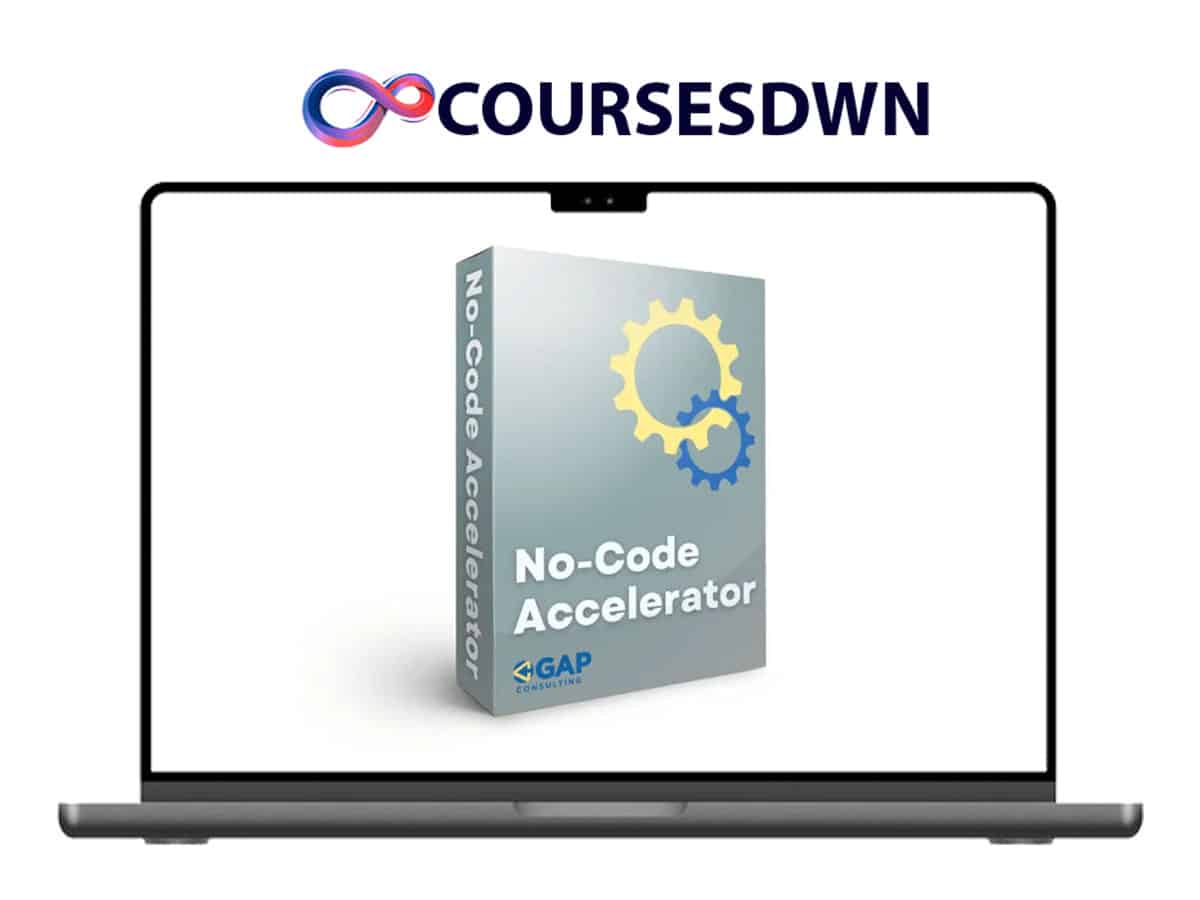
Gareth Pronovost – No-Code Accelerator is a premium no-code training program designed to help entrepreneurs, operators, and freelancers build powerful apps and automations without writing code. The program focuses on real-world implementation using tools like Airtable and other no-code platforms to create scalable systems for business operations.
Instead of wasting time on scattered tutorials, this course provides a structured, step-by-step path to mastering no-code development and automation.
What Is No-Code Accelerator?
No-Code Accelerator is a membership-based learning platform that teaches how to design, build, and optimize no-code systems.
The program helps you move from:
- manual workflows → automated systems
- messy data → structured databases
- disconnected tools → integrated operations
The goal is to give you the skills to build systems that save time, reduce errors, and scale efficiently.
What You’ll Learn Inside
Inside No-Code Accelerator, you’ll learn how to:
- build no-code apps from scratch
- structure databases properly
- create powerful automations
- connect multiple tools into one workflow
- troubleshoot broken systems
- optimize existing processes
These skills are highly valuable for both freelancers and business owners.
Airtable Accelerator Course
A major component of the program is focused on Airtable, one of the most powerful no-code platforms.
You’ll learn how to:
- design relational databases
- map tables and data flows
- build automated workflows
- create scalable internal tools
The training mirrors real client projects, making it practical and implementation-focused.
Automation & Workflow Systems
Automation is at the core of the program.
You’ll learn how to:
- eliminate repetitive tasks
- create automated processes
- connect apps using integrations
- build systems that run without constant input
This allows you to increase efficiency and focus on higher-value work.
200+ Software Tutorials
The course includes a large library of tutorials covering multiple tools and systems.
These lessons help you:
- explore different no-code platforms
- learn advanced features
- implement real workflows
- continuously upgrade your skills
The content is regularly updated to keep up with new tools and trends.
Course Content
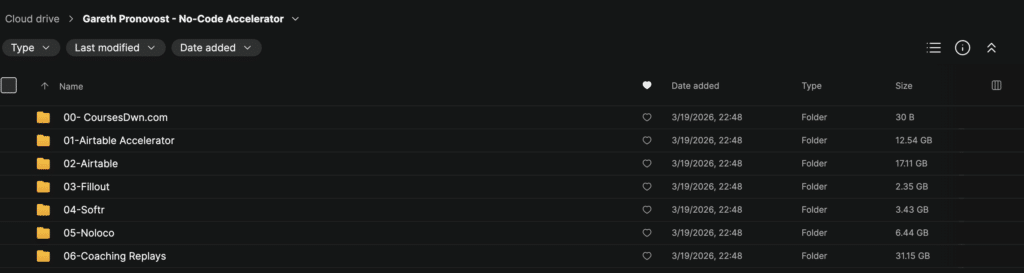
01 Airtable Accelerator
- 01 Intro To Mapping Your Process 02:22
- 02 Guidelines And Tools For Mind Maps 07:10
- 03 Mapping A Customer Journey 07:57
- 04 Mapping An Internal Workflows 08:39
- 05 Mapping Workflow Example 07:03
- 06 Intro To Planning Your Tables And Fields 04:44
- 07 Possible Field Types 04:34
- 08 Dependent Fields 07:27
- 09 Consider The Source 05:16
- 10 The Primary Field 07:49
- 11 Using The Architecture Template 06:15
- 12 Planning Your Tables And Fields Example 10:40
- 13 Intro To Architecting Your Base 00:51
- 13 Intro To Architecting Your Base. Converted 00:51
- 14 Build Your Framework 02:46
- 14 Build Your Framework. Converted 02:46
- 15 Link Your Tables 07:19
- 16 Junction Tables 05:54
- 17 Building Independent Fields 02:47
- 18 Import Your Data 11:02
- 19 Build Dependent Fields 05:18
- 20 Base Building Example 16:55
- 21 Intro To Outlining And Building Your Automation 00:59
- 21 Intro To Outlining Building Your Automation. Converted 00:59
- 22 Automation Terminology 03:46
- 23 Airtable Automation Vs 3rd Party 09:59
- 24 Automation Planning Tool 06:32
- 25 Connect Your Accounts 05:41
- 26 Automation Triggers 18:26
- 27 Webhook Button Triggers 12:43
- 28 Bring In Sample Data 03:50
- 29 Airtable Actions 07:19
- 30 Automation Resources 02:13
- 30 Automation Resources. Converted 02:13
- 31 Conditional Automations 08:04
- 32 Approval Example 17:52
- 33 Application Example 17:41
- 34 Proposal Template Example 18:26
- 35 Proposal Signature Example 12:11
- 36 Invoice Example 10:51
- 37 Intro To Troubleshoot Your System 01:07
- 37 Intro To Troubleshoot Your System. Converted 01:07
- 38 Failed Automations 05:51
- 39 Common Error Can’t Find Record 06:06
- 40 Common Error Can’t Find Field 06:23
- 41 Renaming Your Bases Fields And Tables 07:25
- 42 Trigger Your Automation With An Updated Record 08:41
- 43 Intro To Building Your Airtable Interface 01:10
- 43 Intro To Building Your Airtable Interface. Converted 01:10
- 44 When NOT To Use An Interface 02:38
- 44 When NOT To Use An Interface. Converted 02:38
- 45 How Interfaces Work 10:54
- 46 The Dashboard Interface 07:24
- 47 The Record Detail Interface 05:07
- 48 Adding Filters To Your Interface 04:28
02 Airtable 01 Database Building In Airtable
- 01 What To Expect 00:58
- 01 What To Expect. Converted 00:58
- 02 What Is A Spreadsheet Mindset 02:54
- 03 Thinking In Datasets 01:42
- 04 How Views Replace Tabs 03:20
- 04 How Views Replace Tabs. Converted 03:20
- 05 Independent Or Editable Fields 02:01
- 05 Independent Or Editable Fields. Converted 02:01
- 06 Dependent Or Uneditable Fields 04:13
- 06 Dependent Or Uneditable Fields. Converted 04:13
- 07 Two Categories Of Fields Types 01:58
- 08 Dependent Field Formula 02:34
- 08 Dependent Field Formula. Converted 02:34
- 09 Dependent Field Lookup 02:22
- 09 Dependent Field Lookup. Converted 02:22
- 10 Dependent Field Rollup 01:57
- 10 Dependent Field Rollup. Converted 01:57
- 11 Dependent Field Count 01:31
- 12 Dependent Field Button 03:52
- 13 Primary Field 04:31
- 14 Dependent Field Created Time By 02:00
- 15 Dependent Field Modified Time By 02:26
- 16 Creating A Linked Table In Airtable 03:35
- 17 Two Fields For The Price Of One 01:03
- 18 Link Type 1 1 01:59
- 19 Link Type 1 N 01:53
- 20 Link Type M N 02:30
- 21 When To Use A Junction Table 03:36
- 22 Junction Table Structure 01:36
- 23 Naming The Junction Records 02:13
- 24 What Is A ‘Ghost’ Field 01:45
- 25 Linking To Tables Multiple Times 04:03
- 26 Create The Table Without Default Fields 01:31
- 27 When To Use Synced Tables 02:29
- 28 Practice Makes Perfect 00:48
- 29 What’s Next 01:11
02 Airtable 02 Airtable Automations
- 01 Intro 01:28
- 02 Get To Know The Automation Panel 06:31
- 03 Anatomy Of An Automation 03:16
- 04 Automation Variables 12:50
- 05 Airtable Record IDs In Automations 09:53
- 06 When Record Matches Conditions 06:37
- 07 When Form Is Submitted 03:46
- 08 When Record Is Created 02:32
- 09 When Record Is Updated 06:07
- 10 At A Scheduled Time 04:26
- 11 When Record Enters A View 08:01
- 12 When Webhook Received 07:33
- 13 When A Button Is Clicked 07:13
- 14 Choosing The Right Trigger 09:52
- 15 Send Email 07:24
- 16 Create Record 04:22
- 17 Update Record 04:44
- 18 Find Records 08:38
- 19 Sort Records 04:29
- 20 Run Script 05:08
- 21 Slack Send A Message 06:16
- 22 Slack Actionable Message 07:07
- 23 Gmail And Outlook Email 05:02
- 24 Goggle And Outlook Calendar 08:38
- 25 Google Docs 09:48
- 26 Other Integration Actions 03:39
- 27 Conditional Logic 07:36
- 28 Repeating Group 06:48
- 29 Testing Your Automation 05:38
- 30 Troubleshooting Errors 05:23
02 Airtable 03 Airtable Interfaces
- 01 Introduction 00:35
- 02 Get To Know The Interface Panel 05:44
- 03 Sharing An Interface 08:39
- 04 Publishing An Interface 05:06
- 05 Page Level Options 07:24
- 06 List 08:53
- 07 Gallery 04:08
- 08 Kanban 08:11
- 09 Calendar 10:05
- 10 Timeline 14:33
- 11 Form 10:03
- 12 Dashboard 04:56
- 13 Record Review 07:27
- 14 Record Summary Blank 09:56
- 15 Switching Visualizations 03:21
- 16 Numbers 07:02
- 17 Charts 11:55
- 18 Pivot Tables 08:52
- 19 Lists Timeline Gallery 05:24
- 20 Creating A Detail Page 06:10
- 21 Groups 05:38
- 22 Using Multiple Detail Page Layouts 04:39
- 23 Conditional Visibility 05:54
- 24 Linked Record Fields In Detail Pages 11:36
- 25 Front End Filters 06:48
- 26 Back End Filters 06:11
- 27 Filtering By Current User 10:22
02 Airtable 04 Scripting In Airtable
- 01 Meet Your Instructor For Airtable Scripting 01:36
- 02 Get To Know The Scripting Step 05:14
- 03 Get To Know The Scripting Extension 06:12
- 04 Syntax 06:42
- 05 Variables 07:01
- 06 Documentation And Resources 03:18
- 07 Numbers And Strings 04:30
- 08 Objects 07:55
- 09 Arrays 07:00
- 10 Inputs Buttons 05:51
- 11 Inputs Records 07:04
- 12 Inputs Tables Views Fields 03:31
- 13 Inputs Text 01:25
- 14 Inputs Files 03:26
- 15 Inputs Automations 05:08
- 16 Outputs Text 04:57
- 17 Outputs Table 05:06
- 18 Outputs Inspect 01:59
- 19 Outputs Automations 06:38
- 20 Selecting Records 14:51
- 21 Creating Records 11:43
- 22 Updating Records 10:02
- 23 Deleting Records 09:35
- 24 Mapping Records 08:39
- 25 Filtering Records 13:39
- 26 Functions 06:44
- 27 Looping 10:58
02 Airtable 05 Airtable Forms
- 01 Intro What To Expect 00:40
- 02 What Do Airtable Forms Do 01:02
- 03 What Do Airtable Forms Not Do 01:28
- 04 Interface Form Requirements 01:24
- 05 View Form Requirements 01:24
- 06 Outside Form Options 00:57
- 07 Approved Data Types 01:31
- 08 Upgrading To The New Form Builder 02:02
- 09 Adding A Cover Image 01:00
- 10 Adding A Logo 00:35
- 11 Change The Source Of The Data 01:25
- 12 Adding Removing Form Fields 01:32
- 13 Moving Form Fields 01:10
- 14 Using Groups 02:58
- 15 Updating The Submission Button 00:40
- 16 Updating The Submission Message 00:36
- 17 Show ‘Submit Another Response’ Button 00:39
- 18 Sending Email Responses Upon Submission 01:00
- 19 Redirect To A URL Upon Submission 01:07
- 20 See Who Submitted A Response 01:00
- 21 Show Airtable Branding 00:51
- 22 Editing The Visibility Of Fields 02:10
- 23 Adding Default Values To Fields 01:51
- 24 Making Fields Required 01:43
- 25 Limiting Data Collection In Fields 01:50
- 26 Publishing Forms 00:48
- 27 Limiting Form Access 01:55
- 28 Embedding A Form 01:54
- 29 Password Protecting A Form 01:00
- 30 Sharing A Form URL 01:02
- 31 Understanding Form URLS 02:08
- 32 Finding The Field ID 01:44
- 33 Syntax For Prefilling Fields 03:30
- 34 Syntax For Hiding Fields 03:49
- 35 Using Formulas To Prefill And Hide 05:43
- 36 Encode URL Function 02:58
- 37 What’s Next 00:53
03 Fillout 01 Beginner Forms In Fillout
- 01 Intro 01:25
- 02 What Is A Form 02:00
- 03 Good Forms 05:20
- 04 Bad Forms 03:18
- 05 What Is Fillout 01:12
- 06 Why Would You Use Fillout 02:08
- 07 What Is Fillout Good At 01:33
- 08 Account Setup Login 01:02
- 09 Free Vs. Paid Features 01:29
- 10 Team 00:54
- 11 Form From Template 04:14
- 12 Form From Scratch 02:58
- 13 Form Themes 05:38
- 14 A Form Is Submitted Then What 02:24
- 15 Progress Bars 02:00
- 16 Hooking Up To Airtable 03:33
- 17 Headings 02:43
- 18 Layout 02:12
- 19 Logos 01:00
- 20 Multi Column Forms 02:02
- 21 Confetti And Fillout Branding 03:36
- 22 Publish And Share Link 01:39
- 23 QR Code 01:17
- 24 Embedding Forms Get The Code 05:00
- 25 Embedding Forms Use The Code 01:56
- 26 What’s Next 01:05
04 Softr 01 Beginner App Building With Softr
- 01 Meet Your Instructor 01:49
- 02 Introduction To Softr’s Structure 03:10
- 03 Navigating Your Account Dashboard 02:56
- 04 Connecting Data Sources 02:55
- 05 Getting Started With Template Apps 01:11
- 06 Starting An App From Scratch 01:18
- 07 Sign Up And Sign In Pages 04:54
- 08 Forgot And Reset Password Page 01:25
- 09 User Profile Page 02:46
- 10 Dynamic And Static Page Blocks 03:31
- 11 Header Block 03:15
- 12 Team Block 02:04
- 13 Hero Block 02:25
- 14 Feature And Feature Grid Blocks 02:53
- 15 Call To Action CTA Blocks 01:55
- 16 Partner Block 01:22
- 17 Gallery Block 01:23
- 18 Pricing Block 02:31
- 19 Testimonial Block 01:16
- 20 FAQ Block 03:01
- 21 Footer Block 01:27
- 22 Other Block 03:45
- 23 Forms Block 03:41
- 24 List Block 01:30
- 25 List Details Block 03:19
- 26 Table Block 02:05
- 27 Map Block 03:12
- 28 Comments Block 01:56
- 29 Editing A Data Source Creating And Mapping Content Fields 09:35
- 30 Action Buttons 04:51
- 31 Styles 04:34
- 32 Visibility 02:52
- 33 New Tools Take Time 03:54
- 34 What’s Next 00:59
04 Softr 02 Advanced App Building With Softr
- 01 Meet Your Instructor 00:45
- 02 Recap Of Beginner Interfaces With Softr 00:59
- 03 What We’ll Cover In The Advanced Course 02:24
- 04 Inbox 09:47
- 05 Calendar 08:17
- 06 Kanban 05:39
- 07 Chart 06:51
- 08 Summary Cards 03:19
- 09 Org Chart 09:51
- 10 Payment 05:21
- 11 Saving Users In An External Database 04:11
- 12 Creating Users Via Make.com 07:36
- 13 User Groups 03:58
- 14 Page Visibility Settings 03:58
- 15 Block Visibility Settings 01:32
- 16 Adding Users Directly 03:22
- 17 Data Restriction Settings 02:11
- 18 Invitation Templates 01:40
- 19 Integrations 02:29
- 20 Custom Code 02:15
- 21 Mobile App 03:13
- 22 SEO 03:42
- 23 App History 02:18
- 24 Enterprise Level Settings 01:16
- 25 Build An App With AI 03:56
- 26 Advanced Maps 05:24
- 27 Multi Lingual Apps 03:21
- 28 Typography Hierarchy 04:25
- 29 Color Contrast For Accessibility 06:01
- 30 Responsive Design Device Compatibility 04:27
- 31 New Style Availability 05:07
- 32 Custom Domains 02:20
- 33 Subdomains And Favicons 03:45
- 34 Create An App Template 02:39
- 35 Preview And Publish 02:40
- 36 Iterative Design Means Iterative Learning 02:23
- 37 What’s Next 01:54
05 Noloco 01 Beginner Interfaces With Noloco
- 01 What Is Noloco 01:47
- 02 When Is Noloco The Right Software Choice 01:48
- 03 Database Building In Noloco 01:28
- 04 Navigating Your Account Dashboard 02:15
- 05 Getting Started With Template Apps 01:23
- 06 Apps And Workspaces 01:50
- 07 Connect Your Data Source 03:02
- 08 Jump Start Your App With AI 02:21
- 09 Build Mode Overview 04:24
- 10 Users Overview 02:26
- 11 Connecting A User List 04:14
- 12 Main User Roles 04:01
- 13 Noloco’s User Table 03:26
- 14 Visibility Permissions 07:01
- 15 Intro To Front End Design 02:32
- 16 Rows Columns And Cards 04:47
- 17 Tables And Grids 02:18
- 18 Charts 04:00
- 19 Kanban 01:56
- 20 Calendar 06:09
- 21 Timeline 04:59
- 22 Gantt 03:54
- 23 Map View 09:30
- 24 Split Record 04:26
- 25 Collection Pages 04:48
- 26 Organizing The Navigation Menu 03:56
- 27 Forms 06:41
- 28 Base Record View 03:49
- 29 Title And Collections 05:47
- 30 Details And Highlights 05:07
- 31 Images And Video 04:36
- 32 Quick Links 03:34
- 33 Action Buttons 04:17
- 34 Stages And Notices 07:08
- 35 Charts 02:05
- 36 Comments 03:33
- 37 Editing Base Records 02:35
- 38 Options Are Everywhere! 02:23
- 39 What’s Next 03:11
05 Noloco 02 Advanced Interfaces With Noloco
- 01 What Is Noloco 01:04
- 02 When Is Noloco The Right Software Choice 01:06
- 03 Database Building With Noloco 01:50
- 04 Beginner Interfaces With Noloco 01:45
- 05 Visibility By Page 03:30
- 06 Visibility By Data Source 05:36
- 07 Visibility By User 07:31
- 08 Filtered Pages Or Sections By User 07:22
- 09 When To Use A Form 01:39
- 10 Customize Built In Forms On Collections 02:43
- 11 Pre Filling Form Fields 05:59
- 12 Form Design And Public Forms 05:58
- 13 Action Buttons Instead Of Forms 02:08
- 14 Customized Pages 03:22
- 15 Auto Complete Address Fields 06:09
- 16 Containers 07:46
- 17 Mobile And Progressive Web Apps 04:36
- 18 Workflow Overview 03:52
- 19 Automation Triggers 03:24
- 20 Send Emails And Push Notifications 15:41
- 21 Create Deactivate And Delete Users 08:45
- 22 Add Comments And Notes To A Record 07:43
- 23 Items In A List 04:05
- 24 Conditionals 02:06
- 25 Trigger A Webhook 02:06
- 26 Automate With AI 04:52
- 27 Send Messages To Slack 01:18
- 28 Generate A Document With DocsAutomator 02:24
- 29 Find Records Or Not Currently Available Run Scripts 03:12
- 30 Recap 04:33
- 31 What’s Next 01:55
06 Coaching Replays
- 01 12 3 2025 Group Coaching With Gareth Pronovost 01:01:58
- 02 11 19 2025 Group Coaching Withj Alli Alosa 59:22
- 03 11 5 2025 Group Coaching With Gareth Pronovost 01:00:41
- 04 10 29 2025 Group Coaching With Gareth Pronovost 01:00:10
- 05 10 22 2025 Workshop With Erik Harkness 53:51
- 06 10 15 2025 Group Coaching With Alli Alosa 58:51
- 07 10 8 2025 Group Coachinh With Erik Harkness 01:12:37
- 08 10 1 2025 Group Coaching With Erik Harkness 59:06
- 09 9 24 2025 Group Coaching With Gareth Pronovost 01:13:18
- 10 9 17 2025 Group Coaching With Gareth Pronovost 01:06:08
- 11 9 10 2025 Workshop With Erik Harkness 57:33
- 12 9 3 2025 Group Coaching With Gareth Pronovost 01:06:58
- 13 8 27 2025 Workshop With Erik Harkness 59:55
- 14 8 20 2025 Group Coaching With Erik Harkness 58:19
- 15 8 13 2025 Workshop With Alli Alosa 01:00:19
- 16 8 6 2025Group Coaching With Erik Harkness 01:00:03
- 17 7 30 2025 Group Coaching With Gareth Pronovost 01:01:11
- 18 7 23 2025 Workshop With Alli Alosa 58:19
- 19 7 16 2025 Group Coaching With Gareth Pronovost 01:00:07
- 20 7 9 2025 Workshop With Erik Harkness 01:02:28
Weekly Live Coaching
Members get access to weekly live coaching sessions where they can:
- ask questions about their projects
- troubleshoot issues in real time
- get expert feedback
- learn from other users’ experiences
This ensures ongoing support beyond recorded lessons.
Replay Vault
All coaching sessions are recorded and stored in a searchable library.
This gives you access to:
- 100+ hours of past coaching sessions
- real-world problem-solving examples
- additional learning beyond the core curriculum
You can revisit content anytime to reinforce your knowledge.
Project Planning & System Design
The program also emphasizes building systems correctly from the start.
You’ll learn how to:
- plan your projects before building
- design efficient workflows
- avoid common mistakes
- create scalable architectures
This reduces wasted time and ensures better long-term results.
Troubleshooting & Optimization
A key strength of No-Code Accelerator is teaching how to fix and improve systems.
You’ll learn how to:
- identify automation errors
- fix broken formulas
- debug workflows
- optimize performance
This makes you more self-sufficient and capable of handling complex systems.
Private Consulting Support
For more advanced needs, the program offers access to 1:1 consulting.
This allows you to:
- get personalized help on projects
- solve complex automation issues
- refine your systems with expert guidance
This is especially valuable for business-critical systems.
Who This Course Is For
No-Code Accelerator is ideal for:
- entrepreneurs building internal systems
- freelancers offering automation services
- operations managers
- agencies
- anyone wanting to learn no-code development
It is especially useful for people who want to build systems without relying on developers.
Benefits of the Program
Participants can gain several advantages, including:
- faster system development
- reduced operational costs
- improved efficiency through automation
- ability to build custom tools
- increased independence from developers
These benefits make no-code skills highly valuable in today’s digital economy.
Why No-Code Skills Matter
No-code tools are rapidly transforming how businesses operate.
They allow individuals to:
- build applications quickly
- automate workflows without coding
- test ideas faster
- scale operations efficiently
Learning these skills gives you a strong advantage in modern business environments.
Conclusion
No-Code Accelerator by Gareth Pronovost is a comprehensive training program that teaches how to build and automate systems using no-code tools. With structured lessons, live coaching, and a large tutorial library, it provides everything needed to develop practical, scalable workflows and applications.
Enroll Gareth Pronovost – No-Code Accelerator.